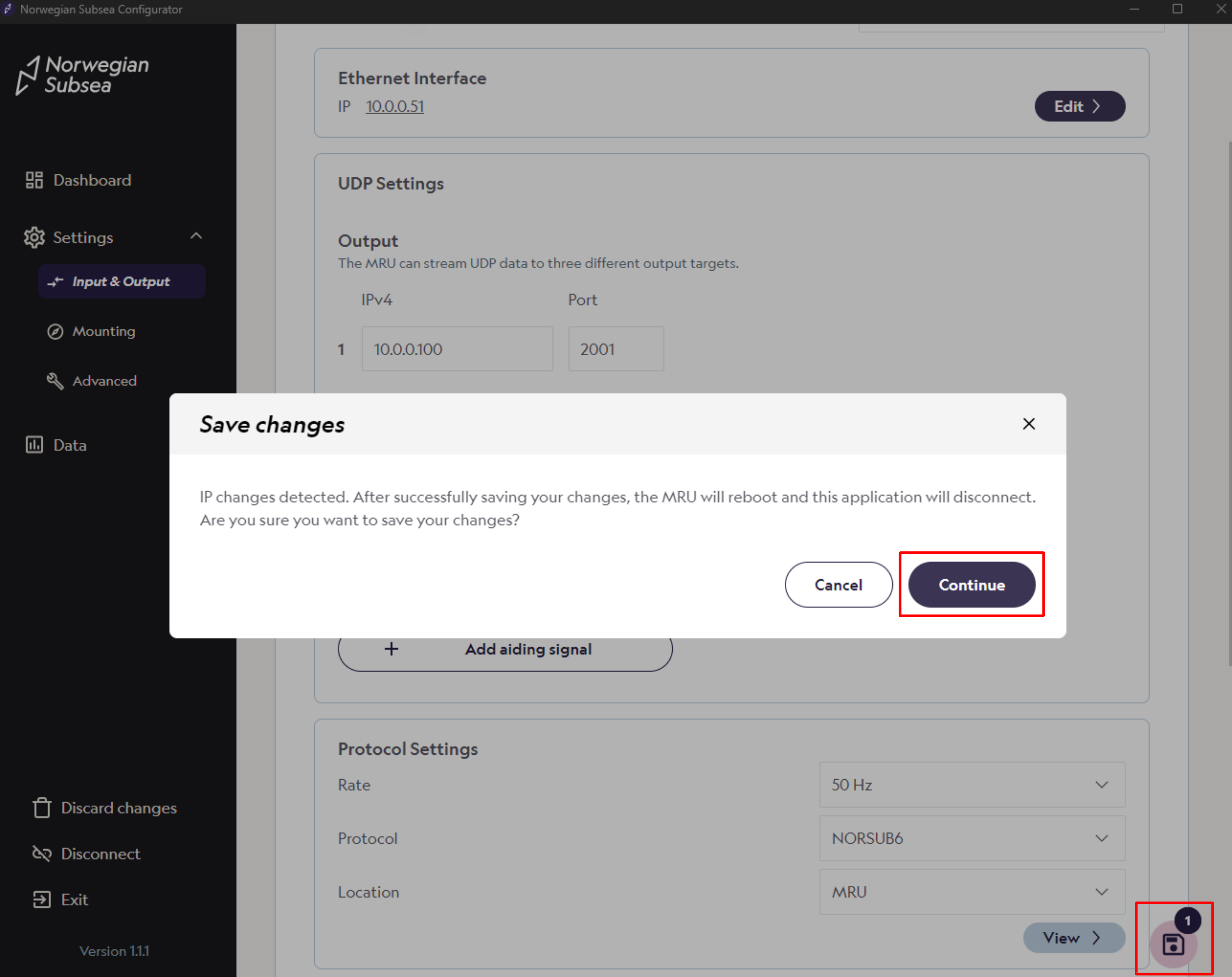
The default IP is 10.0.0.50. If you need to change the IP of your MRU:
-
Open the MRU configurator and connect to your MRU
-
Click “Settings“ -> “Input & Output“ in the left bar
-
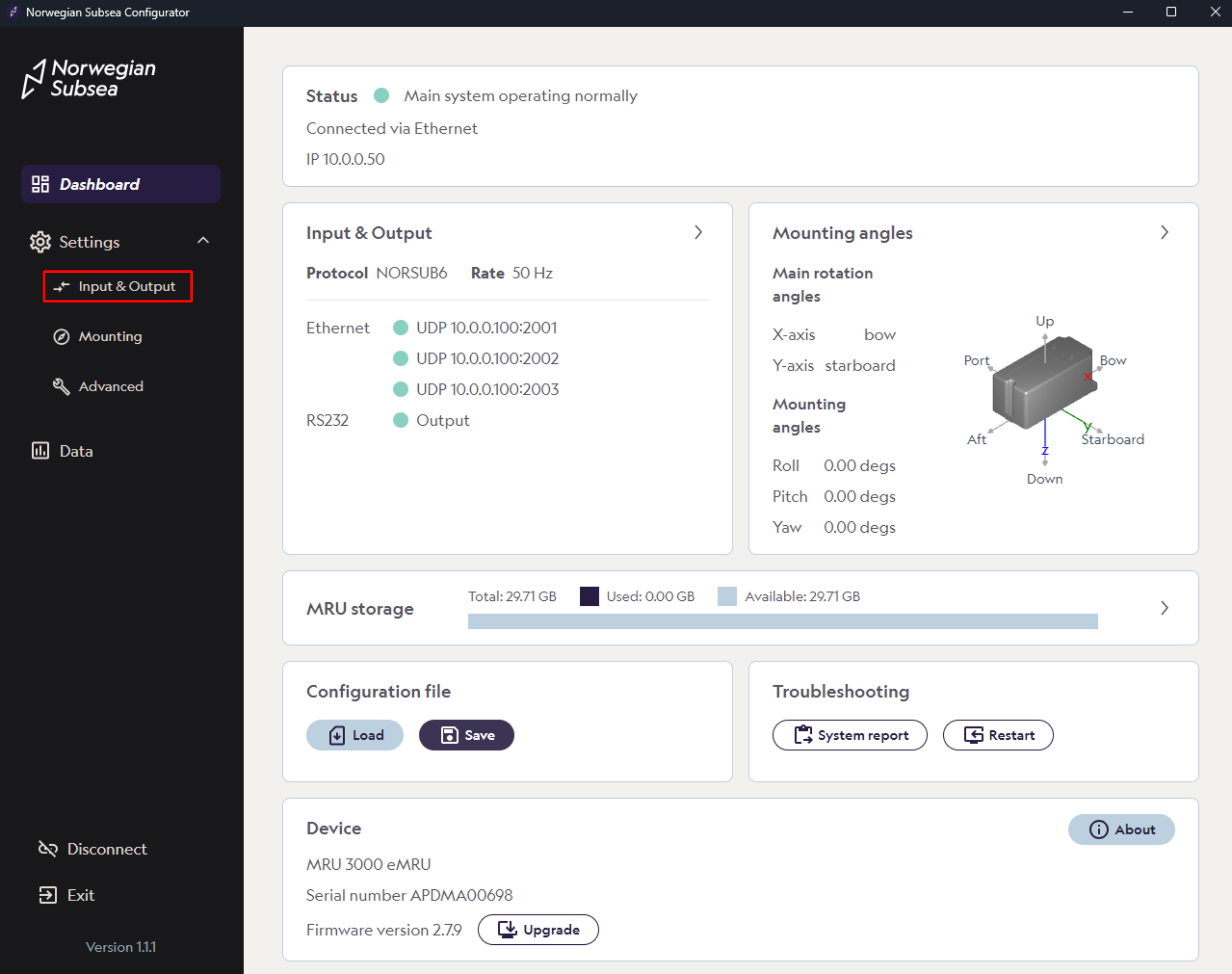
Click “Edit“ under Ethernet Interface
-
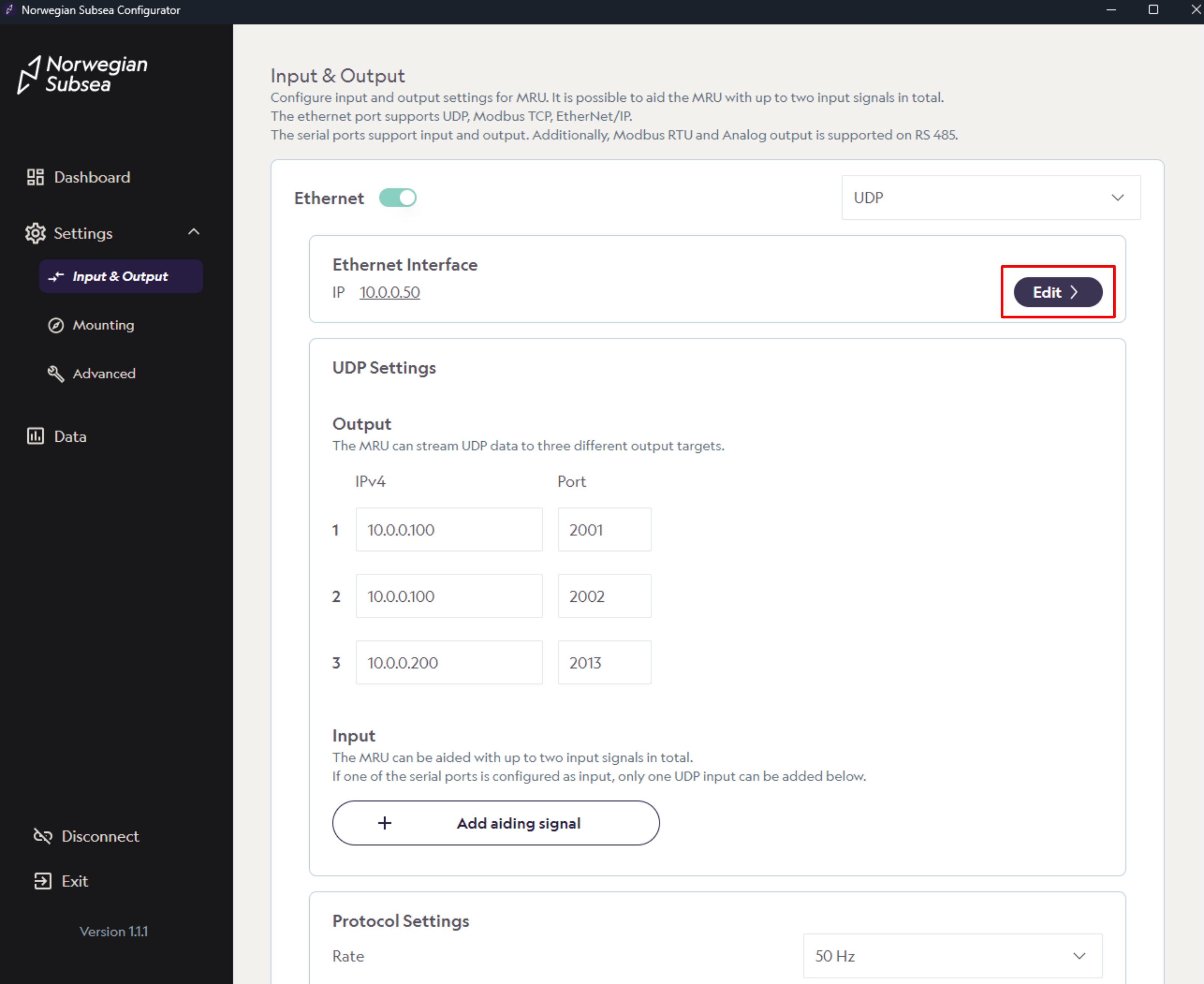
Change IP address, subnet mask and other Ethernet settings after your needs and click “Confirm“
-
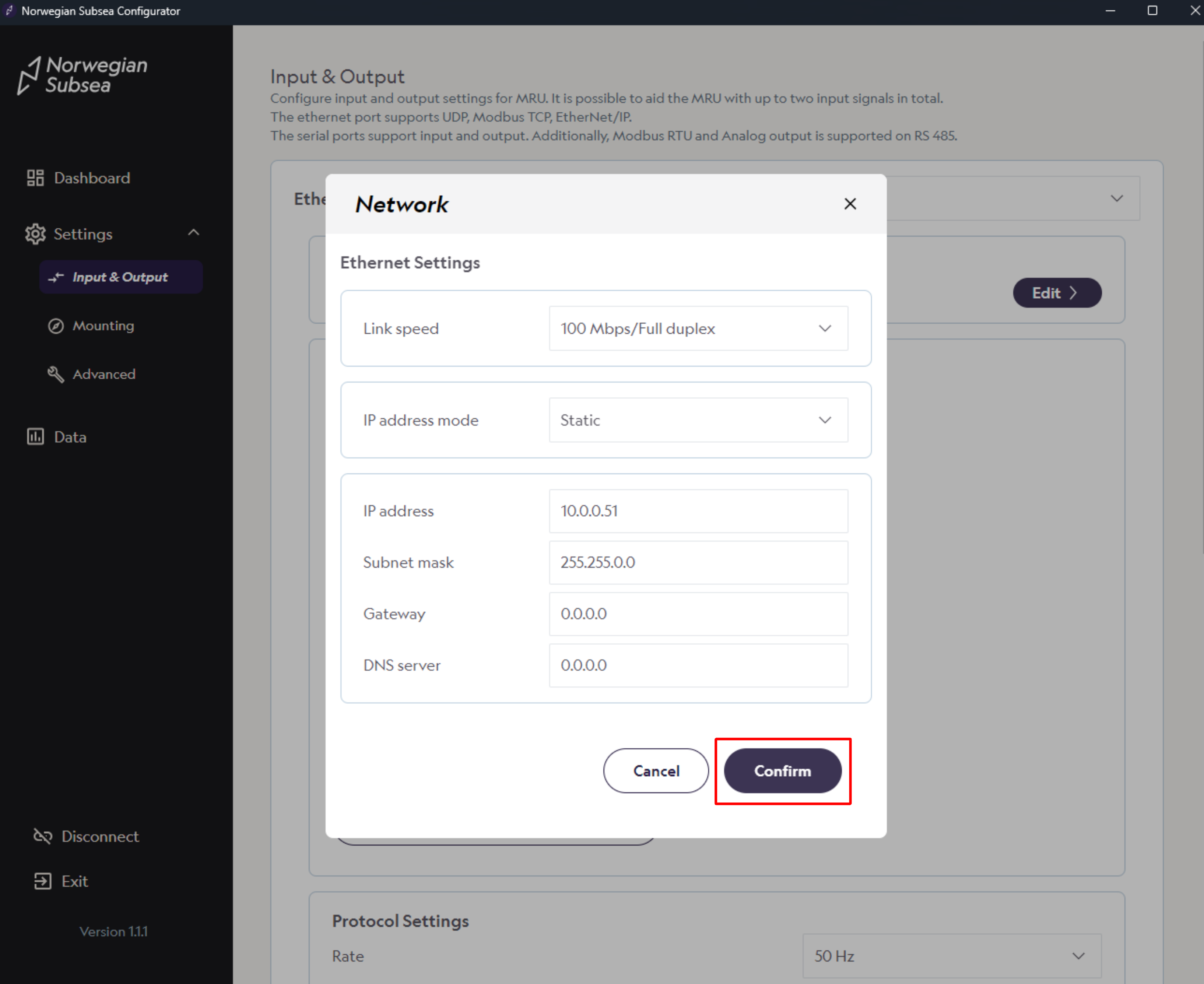
Click on the save button in the right bottom corner and then click “Continue“. The MRU will then reboot and the MRU configurator will disconnect.